
Friday, March 28, 2008


Friday, March 21, 2008
Linux iSCSI Howto
Now that I am working with VMWare Virtual Infrastructure 3, I've had a crash course in iSCSI storage. As a result, I've been working on implementing iSCSI in my own "datacenter" (ie: basement) The first step (paradoxically) was to connect a Linux client to an existing host. Luckily, I'm able to use the companies datacenter resources for R&D.
It took several howto's and hacking around, but once I found all the pieces, it was actually quite simple. Using Fedora 6 as a base, the first step was to install the iSCSI RPMs:
In the /etc/iscsi directory are two files. We need to add the host IP and port as the first two directives of the iscsid.conf.
Now I see the LUNs, but what about the devices? An fdisk -l sees the .110 NAS which was defined, but not the .131 NAS, which was discovered. We could be reboot, but this is Linux, not Windows! Let's try:
Set the service to start at boot time, and we are in business:
It took several howto's and hacking around, but once I found all the pieces, it was actually quite simple. Using Fedora 6 as a base, the first step was to install the iSCSI RPMs:
lsscsi(lsscsi may not be necessary, but let's be safe for now)
iscsi-initiator-utils
In the /etc/iscsi directory are two files. We need to add the host IP and port as the first two directives of the iscsid.conf.
isns.address = 172.16.1.110Next, change initiatorname.iscsi to contain the name defined on the host.
isns.port = 3260
InitiatorName=iqn.2007-09.vm.vi3:esx7Start the service and execute a sendtargets request:
# service iscsi start(Yes, the IP's are different. For some reason, I have to initiate to one NAS in order to connect to the other.)
# iscsiadm -m -discovery -t sendtargets -p 172.16.1.131
Now I see the LUNs, but what about the devices? An fdisk -l sees the .110 NAS which was defined, but not the .131 NAS, which was discovered. We could be reboot, but this is Linux, not Windows! Let's try:
# service iscsi restartWhoa! Look at all that output. Another fdisk -l now sees the devices.
Set the service to start at boot time, and we are in business:
# chkconfig iscsi on
Thursday, March 06, 2008
Trillian, Firefox, Yahoo Mail, and Vista
What a mess... The proverbial "perfect storm". Here's the story:
The Trillian client is a program that aggregates several IM protocols. Great little tool. When it recognizes mail in Yahoo or Hotmail accounts, it reports, and allows one click access to the webmail screen. A few weeks ago, this feature stopped working, after a Firefox upgrade.
I thought it was Firefox, but as it turns out, its Vista. (Surprise, surpise, surprise.) The way Trillian provides access to the webmail screen is by creating an HTML document that redirects to Yahoo Mail. The HTML contains the authentication information (most likely as arguments to a CGI post.) Trillian then hands the HTML document to Firefox, who spawns a new tab. Since the failure, Firefox reports "file not found".
The problem is that Vista has set read only permissions on:
C:/Program Files/Trillian/users/default/cache
By setting the permissions for "everyone" "Full Access", the problem is resolved.
How do we do it?
1. Browse to the default folder and right click on cache.
2. Select Properties and the Security tab.
3. In the Groups or User names pane, highlight Users and click Edit.
4. In the pop-up window, again select Users and check Full control.
5. Click OK and OK to exit both windows and close the default window.
Wednesday, February 27, 2008
Linux Boot Process
Good article on the Linux boot process... Let me rephrase that. A very consise, clear, and informative explanation of the Linux boot process. I stumbled upon this while trying figure out the purpose of the VMware /dev/sda7 partition.
Linux Boot Process, courtesy of IBM
Linux Boot Process, courtesy of IBM
Monday, February 25, 2008
Trillian on Vista
I found it odd that when I ran Trillian under Vista, it still looked as if it were running under XP. I would have though that Vista would have applied Aero to all programs. After several attempts, I finally found a Trillian Skin for Vista:
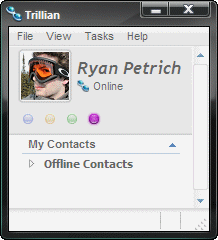
by ~a1 on deviantART
Again, I'm surprised that the application settings override the desktop settings, as my desktop uses the blue theme and this is a black theme. The developer also has a silver theme available.
by ~a1 on deviantART
Again, I'm surprised that the application settings override the desktop settings, as my desktop uses the blue theme and this is a black theme. The developer also has a silver theme available.
Thursday, February 21, 2008
Vista: Wireless Bug
I've bumped into a bug on Windows Vista and wireless networking. When Vista connects to a wireless network, it stores the SSID in the registry. When trying to use a public wireless network, I've noticed that sometimes Vista simply refused to connect. No reason, just because.
Solution: delete the SSID from the registry. The SSID appears three times, but it is only the first instance, the Profile that needs to be deleted. Drill down through:
Repeat the connect process, and all should work.
Solution: delete the SSID from the registry. The SSID appears three times, but it is only the first instance, the Profile that needs to be deleted. Drill down through:
ComputerUnder Profiles, there are several keys. As each is highlighted, the ProfileName is displayed in the right hand pane. When the offending SSID is located, delete the entire key from the Profiles branch in the left hand pane.
HKEY_LOCAL_MACHINE
SOFTWARE
Microsoft
Windows NT
CurrentVersion
NetworkList
Profiles
Repeat the connect process, and all should work.
Thursday, February 07, 2008
Sunrise At The Jefferson Memorial

Monday, February 04, 2008
Favorite Super Bowl Ads
Whatzup with all the screaming animals?
I wish the Pigeons in DC were this big:
I think Charles Barkley is only trying to teach him a lesson:
On this one, I just enjoyed watching Justin Timberlake be abused:
Bottle opener suck! Yes, that's why they screw off:
I wish the Pigeons in DC were this big:
I think Charles Barkley is only trying to teach him a lesson:
On this one, I just enjoyed watching Justin Timberlake be abused:
Bottle opener suck! Yes, that's why they screw off:
Air Force Memorial

Subscribe to:
Posts (Atom)